



How Can We Help?
How to set up BlueMail on Android
This article demonstrates how to set up the BlueMail email client on Android to access an XauZit Cloud e-mail account.
To configure BlueMail to work with your XauZit Cloud e-mail account, follow these steps:
- Start BlueMail.
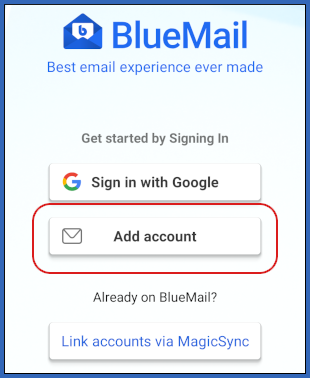
- Tap Add account:
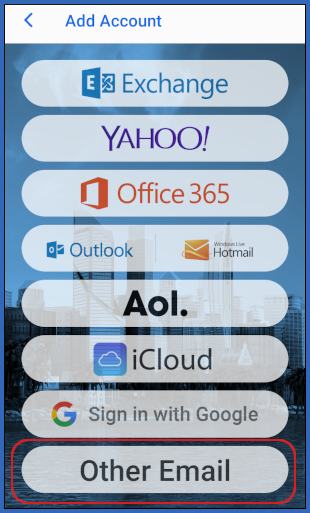
- Tap Other Email:
- In the first text box, type the e-mail address of the account you created in cPanel:
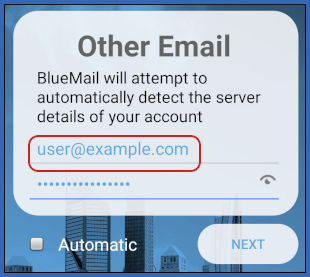
- In the second text box, type the password for the account you created in cPanel.
- Clear the Automatic check box, and then tap NEXT.
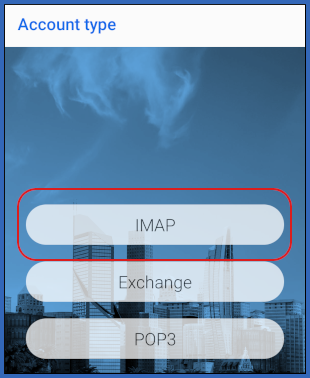
- On the Account type page, tap IMAP:
- Under Incoming server settings, in the Email Address text box, type the e-mail address of the account you created in cPanel:
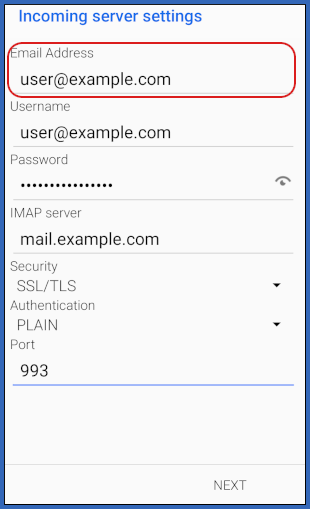
- In the <emUsername text box, type the e-mail address of the account you created in cPanel.
- In the Password text box, type the password for the account you created in cPanel.
- In the IMAP server text box, type mail.example.com, where example.com represents your domain name.
- In the Security list box, tap SSL/TLS.
- In the Authentication list box, tap PLAIN.
- In the Port text box, type 993.
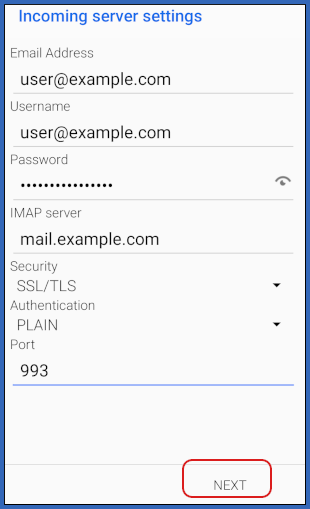
- Tap NEXT:
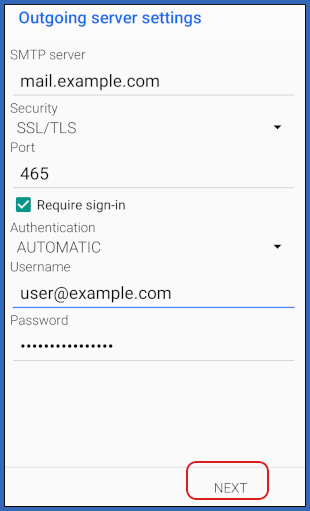
- Under Outgoing server settings, in the SMTP server text box, type mail.example.com, where example.com represents your domain name:
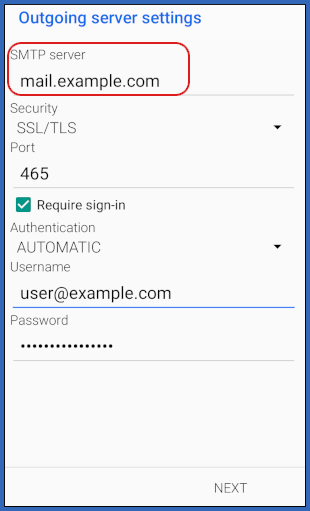
- In the Security list box, tap SSL/TLS.
- In the Port text box, type 465.
- Select the Require sign-in check box.
- In the Authentication list box, tap AUTOMATIC.
- In the Username text box, type the e-mail address of the account you created in cPanel.
- In the Password text box, type the password for the account you created in cPanel.
- Tap NEXT:
- In the Name text box, type the name that you want to appear on messages you send from the account:
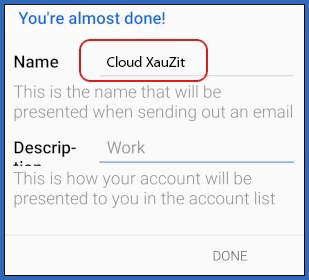
- In the Description text box, type an optional description for the account.
- Tap DONE.
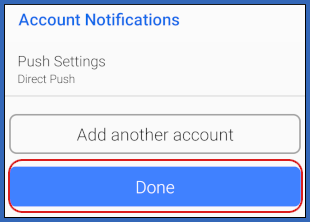
- On the Account Notifications page, tap Done:
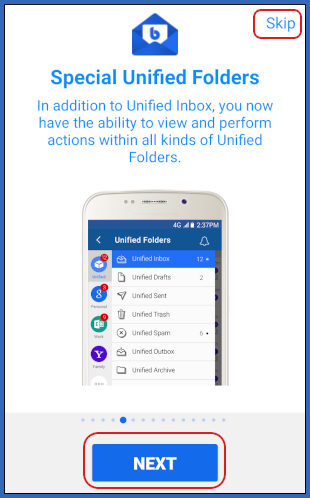
- Tap NEXT to view the short introduction, or tap Skip:
- BlueMail downloads any messages in the account, and the inbox appears:

More Information
For more information about BlueMail, please visit https://bluemail.me/.